Binge Uses Live Activities to Warn Jump Scares
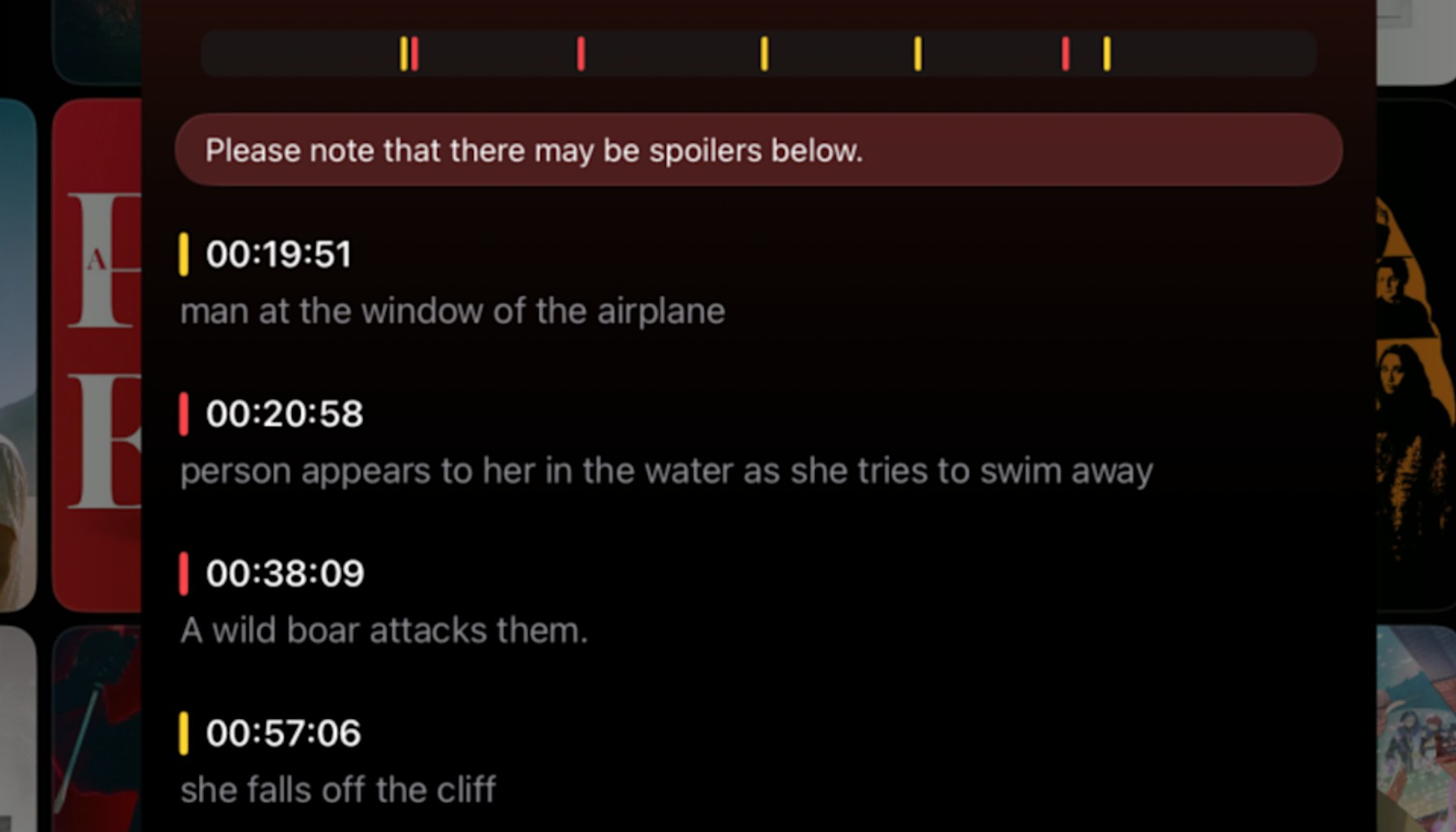
Jump scares now appear on your lock screen, courtesy of Binge.
A new twist in movie-watching tools is landing on iPhones: Binge uses Apple’s Live Activities to push jump-scare warnings directly to the lock screen ahead of scary moments. The idea sounds simple—alert you before you’re blindsided—yet the implementation shines a few insights into how niche features can translate into real-world use.
First, the core trick is timing without the streaming-service hookup. Binge doesn’t integrate with your streaming accounts; it only knows a movie has begun when you tapping a play button. When that signal fires, Apple displays warnings on the lock screen based on the user’s chosen sensitivity. Viewers can dial back to warn only for major jump scares, or opt into more warnings for a broader set of fright moments. The trade-off is clear: you gain visibility into anticipated shocks, but you’re responsible for starting the timer precisely when the film begins. If you wander off for popcorn or a bathroom break, the alignment can drift. In practice, this makes Binge a clever aid for sensitive viewers, not a perfect stand-in for a streaming-service “pause and warn” feature.
Beyond jump scares, Binge is positioning itself as an all-in-one movie companion. In hands-on reviews, testers found the app tracks key details you’d expect in a modern cinema companion: cast and crew lists, awards, runtimes, and where the title sits in today’s streaming ecosystem. It also maintains a timeline of what you’ve watched, which can help you pick up where you left off or rediscover a film you enjoyed weeks ago. That breadth matters because many viewers already juggle multiple apps for different tasks—tracking, reviews, and streaming availability. Binge’s pitch is to consolidate that workflow into a single interface, a classic attempt to win habit by reducing friction.
The domestic side of the product adds a parental filter game. Pulling data from external sources like Rotten Tomatoes, Binge flags content factors such as violence, sexuality, profanity, or drug use. That metadata can be valuable for families or friends with specific viewing guidelines. The downside, as with these data taps, is that accuracy hinges on third-party sources and timing—areas where user reports historically reveal gaps or lag.
Pricing remains a meaningful open question. The app is free to download, but access to jump-scare warnings requires a paid subscription. The published article does not disclose the subscription price, leaving a notable unknown for budget-conscious users who must weigh the ongoing cost against the benefit of the warnings. In other words, the value proposition hinges on how often you actually need those alerts and whether they meaningfully reduce anxiety or interruptions during a movie.
Two practical insights stand out for potential buyers. First, setup time is near-zero, but the experience depends on disciplined timing: you must actively indicate when a film starts for the Live Activities to synchronize with the action. Second, the feature gap matters: no streaming-service integration means you’ll still need to manage content on a separate platform, and warnings can drift if your viewing pattern isn’t neatly aligned with the app’s signals. That friction may be tolerable for horror fans who crave predictability, but frustrating for casual watchers who value seamless automation.
For anyone weighing alternatives, Binge sits alongside a crowded field of movie trackers and streaming guides. Its value proposition isn’t just about being a tracker; it’s about packaging a contextual nudge—built around a real-time lock-screen alert—into a single app. If you want a lightweight safety net for jump scares and you’re already invested in Apple’s Live Activities ecosystem, Binge could earn a spot. If you prize deep streaming-service integrations, or you’re unwilling to pay extra for warnings, you might prefer sticking with more established tools or a straightforward streaming guide.
Buy if you’re a horror aficionado who wants a proactive alert system and you’re comfortable managing the timing yourself. Wait and observe if the jump-scare feature pricing becomes clearer and if the timing aligns more reliably across a broader slate of titles. Skip if you rarely watch horror, dislike subscription add-ons, or need a single, fully integrated streaming experience.
- Movie tracking app Binge uses Apple's Live Activities to warn about jump scaresengadget.com / Source role not classified / Published APR 07, 2026 / Accessed APR 07, 2026