Blackmagic Camera Gets Apple Watch Control
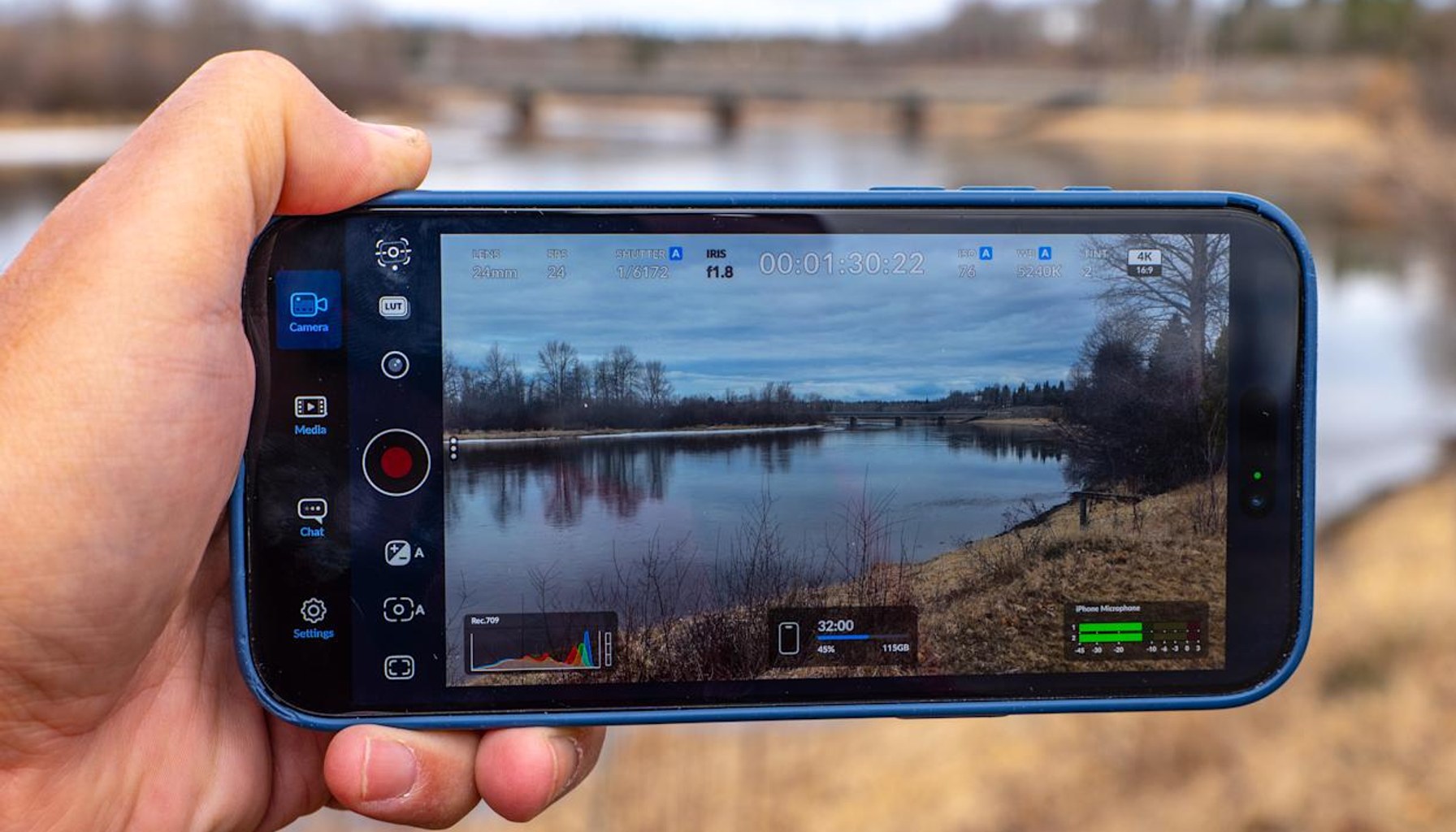
Your wrist just became a broadcast control room.
Blackmagic Design has turned iPhone filming into a closer-to-live-broadcast workflow with the latest iOS update to Blackmagic Camera, now at version 3.3, and an Apple Watch companion app. Solo creators can start and stop recording, adjust zoom, frame rate, shutter angle, white balance, and ISO from their wrist, while a live preview helps framing even when you’re perched behind a tripod. It’s a notable nudge toward professional-grade mobile production without marching into a full studio rig.
The Watch app is paired with the iPhone app over Wi‑Fi, so you don’t need to fumble with a phone screen while you’re trying to keep a shot steady. In practice, that enables standup-style vlogging or on-the-go interviews where the shooter is hands-off enough to keep the camera still while adjusting crucial image parameters. The upside is clear: more control in tight spaces, fewer trips back to the phone, and better framing for solo shooters who don’t want a separate operator.
A second pillar of the update is deeper integration with Blackmagic’s live-production ecosystem. The iPhone now supports ATEM camera control, letting you steer the phone camera from a compatible ATEM Mini switcher. That’s especially meaningful for streamers who run multicam broadcasts from a single desk, because you can coordinate shot selection and live switching from your main control surface instead of swapping between devices. The knock-on effect: you can transform a phone into a “broadcast camera” in a larger setup, rather than treating it as a casual recording device.
To enable this ecosystem, you’ll need the Blackmagic Camera ProDock, priced at $420, which gives the iPhone 17 Pro or iPhone 17 Pro Max HDMI output, timecode, USB-C and other ports. With that hardware in place, a single HDMI cable can feed into an ATEM Mini switcher, linking mobile footage to a broader live-production chain. In other words, Blackmagic is selling a turnkey path from pocket camera to live broadcast desk—if you’re willing to assemble the supporting gear.
That hardware-heavy path is the key caveat for most buyers. The watch-based control is compelling, but the Watch screen is small, so precise focus checks aren’t realistically possible on your wrist. You’ll want to trust your initial focus or rely on manual focus aids, then use the watch for broad adjustments and quick recording control. And while the integration unlocks new workflows, the setup isn’t plug-and-play: pairing the watch app with the iPhone, configuring the ProDock, and routing through an ATEM Mini means additional cables, power needs, and space. For creators who don’t already run a live switcher, the total bill climbs quickly beyond the phone and the ProDock.
From an industry perspective, this move fits a broader trend: smartphones are increasingly treated as broadcast devices, with pro-grade controls and remote monitoring becoming routine rather than optional. It also underscores Blackmagic’s strategy of linking mobile shooters into the same ecosystem used by mid- to high-end productions, expanding the addressable market for its hardware and software. The upside for consumers is tangible—more features, fewer mismatches between gear and workflow. The downside is real costs and complexity that may deter casual users who just want a simple, cheap, “one-click” filming setup.
Bottom line: if you’re a serious solo creator who already runs an ATEM Mini or plans to, the combination of Apple Watch control, iPhone as a live studio camera, and ProDock bridging to your switcher is a compelling upgrade. It’s efficient, it’s powerful, and it’s a wake-up call that mobile video can be treated with the same controls as traditional broadcast gear. If you’re buying into a lean, lightweight workflow or you’re not ready to invest in the ProDock and ATEM Mini, you’ll likely want to wait or skip this upgrade for now.
Verdict: Buy for creators who want true remote control and broadcast-ready integration, especially if you already own or plan to buy ATEM Mini. Wait for those who value simplicity over depth or who aren’t ready to add the ProDock to their setup. Skip if you’re casual about mobile video and don’t want the extra gear bill.
- Blackmagic Camera for iOS now has a companion Watch appengadget.com / Source role not classified / Published APR 16, 2026 / Accessed APR 17, 2026