TI-84 Evo: A math tool for focus
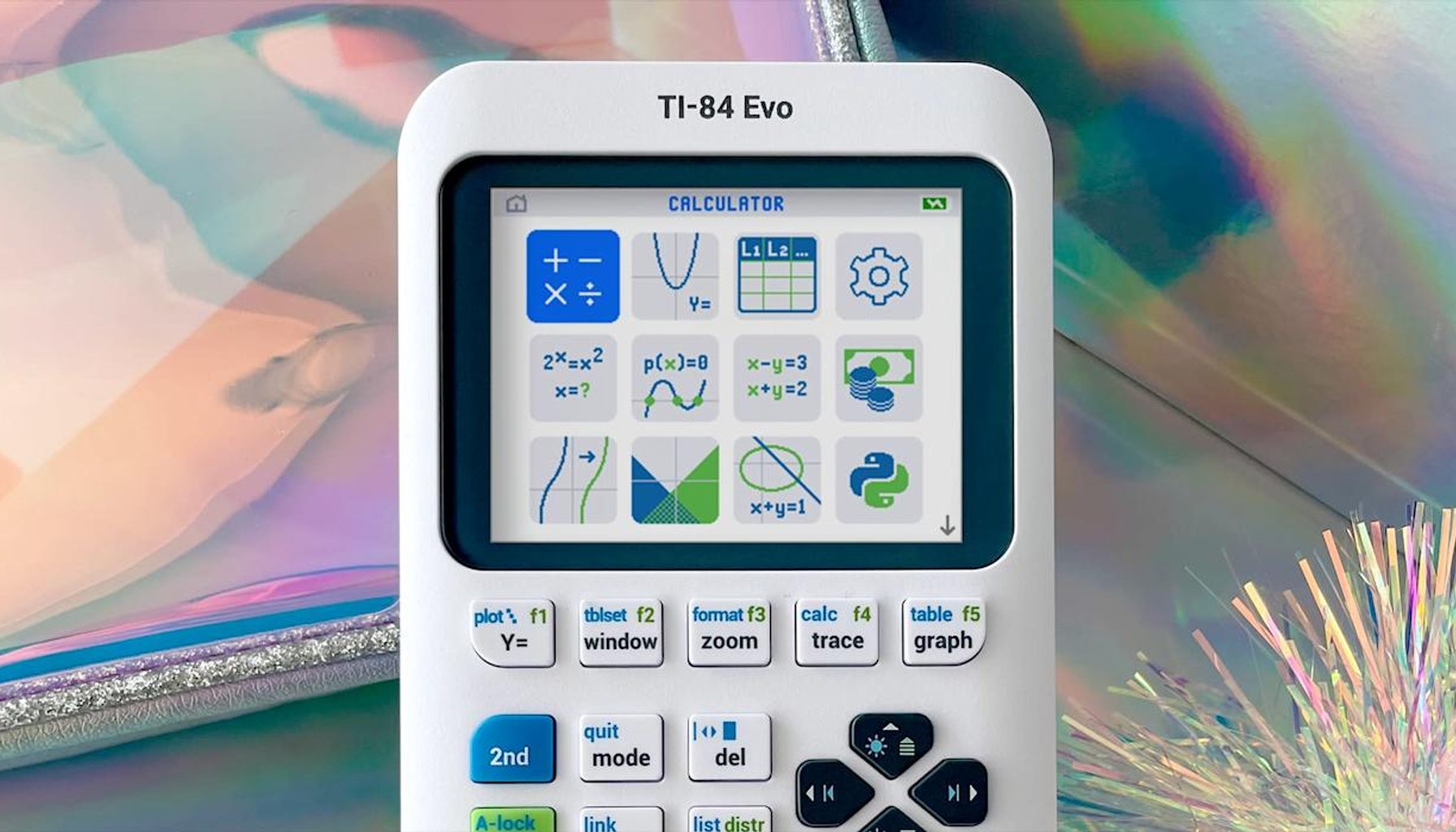
Texas Instruments just baked distraction-free math into a calculator. The TI-84 Evo lands as a modern upgrade to a classroom staple, promising faster numbers, more space, and a single purpose you can actually trust when the textbook gets tough.
The Evo’s centerpiece is a processor that’s three times faster than its predecessor, a welcome upgrade when you’re wrangling graphs, matrices, and long-form algebra on screen. It also nudges graphing capacity up by about 50 percent, which translates into taller plots and more room to annotate. TI has redesigned the keypad for quicker access to common functions and swapped in USB-C charging, a small but meaningful update for schools that standardize on simpler charging cables and modern ports. A new icon-based home screen aims to reduce the cognitive load of hunting through menus, and there’s a fresh graph tracing feature that lets you drag along a curve to locate points of interest, an interface flourish many students will appreciate during slope and intercept work. It’s marketed as a modern, distraction-free device, a dedicated math tool in an era of smartphones and app stores. In TI’s words, it is designed to do one thing exceptionally well: math.
Availability is immediate, with a consumer price of $160. The Evo ships in colors that feel more “on-brand with a student desk” than prior black-and-gray models: white as the baseline, plus mint, pink, purple, teal, raspberry, and silver. TI also notes school districts can reach out for bulk pricing, a reminder that graphing calculators aren’t a consumer gadget so much as a school procurement decision with long lead times and budget cycles.
In the real world, that means the Evo sits at a specific intersection: it’s a serious upgrade for students who insist on a calculator that feels deliberately separate from the rest of their digital life, and a potential antidote to the all-hours distraction problem that comes with smartphones. The company’s messaging emphasizes that, unlike phone calculators, the Evo avoids notifications, social apps, and even Wi-Fi, which can be a selling point for classrooms and study sessions that need quiet, focused problem solving.
Two or three practitioner insights emerge when you compare the Evo to the obvious alternative: a calculator app on a phone. First, you gain a cleaner, distraction-free environment that helps students keep their attention on the math rather than notifications. Second, you trade off the ubiquitous, always-on ecosystem of a smartphone; there’s no cloud syncing or app store to drain hours away on tangents. Third, the Evo’s dedicated hardware and battery life are tuned for coursework sessions, not spontaneous graphing experiments on a lunch break. And fourth, while the newer model adds graphing space and a trace tool, it remains a single-purpose device, an advantage in academics, but a constraint if you want multi-use capabilities from the same gadget.
For teachers and parents weighing the economics, the price point matters. At $160, there’s no subscription pitfall, no monthly fee, no required account signups. You’re paying for speed, space, and a streamlined math workflow. The obvious tradeoff is whether your student truly benefits from a single-purpose device or would rather have a multi-function tool on a phone, tablet, or computer.
Verdict: Buy now if you want a focused, dedicated math device that minimizes distraction and provides tangible hardware upgrades for graphing tasks. Skip if you prefer the flexibility of a smartphone calculator or if your school already subsidizes older TI models with bulk pricing. In the classroom, the Evo hardens TI’s grip on the graphing calculator niche without sacrificing the simplicity students actually need.
- Texas Instruments made a new flagship graphing calculator: the TI-84 Evoengadget.com / Source role not classified / Published APR 28, 2026 / Accessed APR 29, 2026