Microsoft’s announced tool sends selected robot AI workloads to edge or cloud GPUs, with reported gains in speed, accuracy, and battery life.
A robot does not need to run every AI calculation inside its own body. Microsoft says its new offloading capability can send demanding work to a nearby edge computer or a cloud GPU, allowing the robot to use lighter onboard hardware.
That could help robots run larger models, respond more quickly, and operate longer between charges. It also makes networking, remote GPUs, and deployment software part of the robot’s operating system.
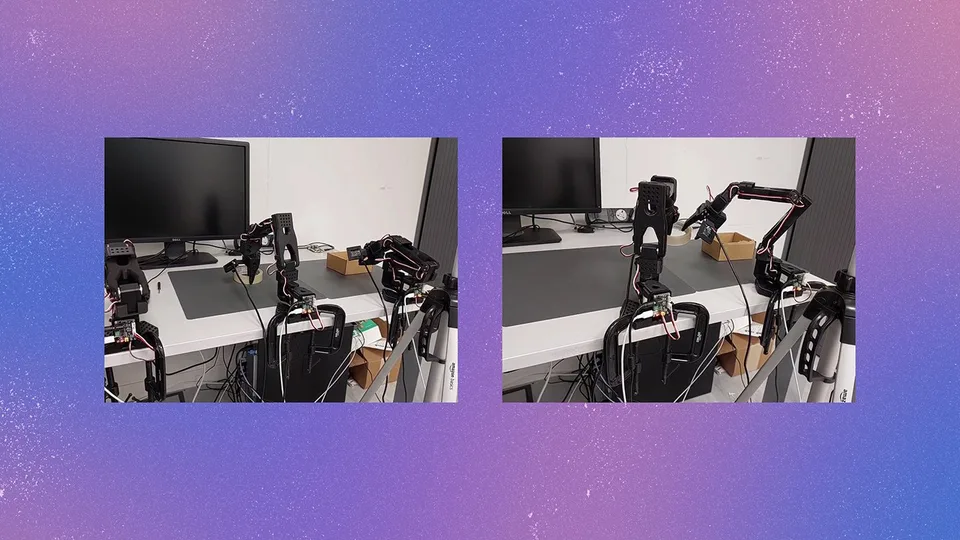
Microsoft announced the capability on September 23 as part of its Physical AI Toolchain. The company describes that framework as open source and production-ready. The specific offloading feature is an announced developer capability, with example projects for the SO-101 and UR10e robots.
Why move the computing?
Consider a robot asked to find rubbish in a kitchen and place it in a trash can. It must plan a route, understand what its cameras see, avoid obstacles, grasp an object, and navigate to the trash.
Those jobs use AI models that need computing power. A powerful graphics processor, or GPU, inside the robot can provide it. But GPUs also consume electricity and add weight, cost, and space requirements.
“Offloading” means sending some model calculations somewhere else. An edge GPU might sit nearby in a building or factory. A cloud GPU might run in a remote data center. The robot still collects information and receives instructions, but the most demanding calculations happen outside its frame.
Microsoft evaluated representative models for semantic mapping and planning, navigation, and manipulation. It compared onboard, edge, and cloud computing configurations in mobile-manipulation workloads.
The company reported that some smaller GPUs could not accommodate the full workload. On GPUs with enough memory, mapping and planning slowed by up to 383% compared with an A100 GPU, according to Microsoft.
Microsoft also reported a 30% drop in navigation’s timely obstacle detection with lighter GPUs. Slower inference from smaller GPUs reduced the accuracy of some vision-language-action models by 50%.
These results come from Microsoft’s evaluation and are not a guaranteed result for every robot. They show the basic engineering problem: a robot may technically run a model, but not quickly enough to deal with changing surroundings.
What happens to battery life?
Removing a large GPU can reduce the robot’s onboard power demand. Microsoft compared a larger onboard GPU with a Raspberry Pi 5 board while sending the AI work to an offloaded GPU.
The company reported that larger onboard GPUs, including Jetson Thor, drained robot batteries by up to 160% in its comparison, or by a few hours for larger robots. The battery comparison used the Stretch-3 robot, so that figure should not be applied to every robot design.
The real effect will depend on the robot’s motors, sensors, wireless equipment, workload, and how much computing remains onboard. Sending data elsewhere also uses communication hardware and power, so offloading is not automatically free.
The likely design is a split rather than an all-or-nothing choice. A robot might keep some work locally while sending heavier workloads to an edge or cloud GPU. Which tasks belong in each place depends on response time, network conditions, and the consequences of a delayed answer.
What infrastructure do developers need?
Microsoft’s tool packages robotics workloads into containers. A container bundles an AI application with the software it needs, making it easier to move that workload between a robot, a nearby computer, and the cloud.
The system uses Kubernetes, software for deploying and managing containers across multiple computers. Microsoft says developers can use declarative specifications, meaning they describe what should happen rather than manually configuring every step.
The tool can then create containers and use policies to distribute workloads among the robot’s compute, edge GPUs, and cloud resources. It also integrates with robotic simulators, LeRobot, and the Robot Operating System 2, commonly called ROS2.
A development team would therefore need more than a robot and an AI model. It would need suitable GPUs, a network connecting the robot to those GPUs, software for moving data and model results, and monitoring for failures.
The announced examples cover the SO-101 and UR10e. Microsoft also describes demonstrations involving its Rho model, a Jetson Thor GPU, and a Mobile Aloha robot.
The network becomes part of the robot
Offloading can improve performance when a robot’s onboard GPU is too slow or too small. But remote computing introduces new failure points.
Network latency—the delay before data reaches the remote computer and the result returns—can make a robot wait. Limited bandwidth can restrict how much sensor data moves off the robot. A busy or unavailable GPU can also delay inference, the process of using a trained model to produce an answer.
Microsoft identifies latency, bandwidth, and available GPU resources as key trade-offs. The supplied results do not establish how the approach performs during cloud outages, lost connections, or difficult network conditions.
That leaves an important design task for developers: decide which workloads can wait for a remote answer and what the robot should do when that answer does not arrive. They should measure response time, task accuracy, battery use, bandwidth, and lost-connectivity behavior on the intended robot before treating the setup as ready for deployment.
The practical promise is clear: offloading may let robots use stronger AI without carrying a large, power-hungry computer. The practical cost is equally clear: the robot now depends on infrastructure beyond its frame, so that infrastructure must be tested as part of the robot itself.