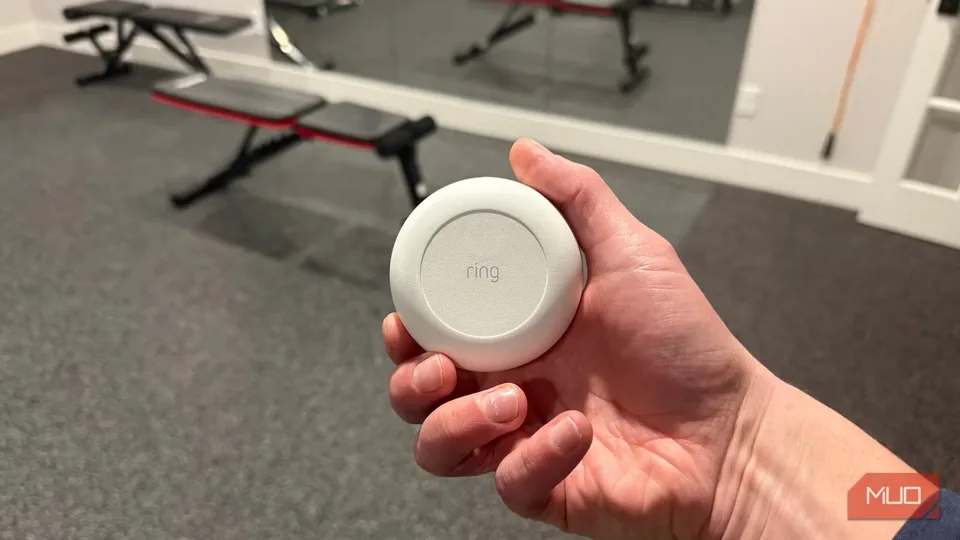
Leak sensors offer a low-cost safety upgrade, while motion and appliance sensors can turn everyday events into useful actions.
The most practical first smart-home device may be the one you hope never needs to work: a water-leak sensor.
These small devices detect liquid and sound an alarm. When paired with a compatible home hub, they can also send an alert to your phone. That makes them useful under sinks, beside washing machines, and near water heaters, where a leak can cause damage before anyone notices.
This is consumer automation in a simple form. A sensor notices something in the physical world, then connected equipment responds without waiting for someone to press a button. It is not a walking robot, but it uses the same basic pattern: sensing and taking action.
MakeUseOf writer Brady Snyder recommends leak sensors before smart bulbs, plugs, or speakers after a burst water tank flooded part of his apartment. He cites the Ikea Klippbok as an example that costs around $10 per sensor. That is a cited example, not a guaranteed current price or promise of broad availability.
Why leak sensors make a strong first purchase
Leak sensors combine a clear safety purpose with a relatively small starting cost. Snyder says many are battery-powered, so they can continue checking for liquid during a power outage. He also says built-in alarms can sound without an active Wi-Fi connection, depending on the model.
That local alarm matters because a phone notification is not your only warning. If the internet or smart-home service stops working, an alarm on the sensor may still alert someone nearby. A hub and internet connection add remote alerts and more advanced routines, but they may not be required for the basic warning.
With a compatible hub, a leak sensor can trigger a spoken warning from smart speakers or displays. Snyder also describes using a Matter-equipped sensor with a supported system such as Google Home. Matter is a smart-home connection standard intended to help compatible devices work across supported platforms.
Some models advertise additional hardware features. MakeUseOf says Govee’s water-leak sensor supports up to 1,804 feet of range, has a 105-decibel alarm, and carries an IP67 durability rating. Those are reported product specifications, not independent proof of performance through your walls, floors, or furniture.
The total cost depends on the coverage you want. The cited Ikea example is around $10 each, so five sensors would be about $50 before replacement batteries or other equipment. The source names several possible locations, including a sink, washing machine, and water heater, but it does not establish that every home needs five sensors.
Before buying, check whether the sensor’s local alarm works without Wi-Fi, whether remote alerts require a hub or account, and where the alarm can be heard. For a safety device, those details matter more than a flashy app.
Motion sensors turn movement into action
A motion sensor detects movement and sends a signal to a smart-home hub. The hub then follows a rule you create, such as turning on a light or sending a phone notification.
MakeUseOf writer Chris Hachey describes using a Govee motion sensor to turn on Govee Outdoor String Lights 2 when someone leaves the back door for the deck. The lights come on automatically, and Hachey says his family can set them to different colors.
That example shows the basic appeal of motion automation: the action starts with movement instead of a manual command. It can be useful at an entryway, on a deck, or in another spot where you regularly want light or an alert.
The catch is compatibility and response time. Hachey says some motion sensors support Matter while others do not. He also says some react faster than others, while some may miss movement or respond more slowly.
The supplied examples do not give a price for the Govee motion sensor or the lights. Your total could include the sensor, compatible lights, a hub, and possibly a bridge or account. Check the exact device pairing before buying, and treat the first setup as a routine to adjust rather than a guaranteed one-box solution.
Start with one clear use. Test whether the sensor triggers reliably where you plan to install it, whether the lights behave as expected, and how easily you can pause or change the automation.
Appliance alerts can solve a recurring chore
The most useful automation often connects a routine event to a reminder. Hachey says his Samsung washer and dryer connect through Samsung SmartThings, Samsung’s smart-home platform.
When a load finishes, he reports that his Samsung Frame TV displays a notification. He also set up Alexa to announce when the laundry is done. That could help prevent wet clothes from sitting forgotten, but it depends on the specific appliances, television, SmartThings connection, and Alexa setup.
This is a good example of cross-platform automation: devices from different systems can sometimes cooperate. Do not assume they will. Confirm support for your exact models and services before counting on a household alert.
Subscriptions can add another ownership cost. MakeUseOf lists Google Home Premium Standard at $10 per month, or $100 per year, and Advanced at $20 per month, or $200 per year. Standard includes a feature called Help me Create, which the writer says lets users use natural-language prompts to guide Gemini in building smart-home automations.
That makes Standard cost $120 over 12 monthly payments, or $100 when paid annually. The Advanced plan costs $240 monthly over a year, or $200 annually. A subscription is not necessary for every basic automation, so it makes sense to begin with hardware that solves a specific problem.
Build around real routines
An automation that works for one household can become annoying after circumstances change. Hachey says he abandoned curtains that opened at sunrise or at a set time after having children. His household no longer followed a predictable sleep schedule.
That is the durable lesson: automate a repeated problem, not a showroom idea. A leak sensor addresses a safety risk. A motion sensor can handle a simple lighting or notification task. An appliance alert can help with a chore that people regularly forget.
The cited leak, motion, and laundry examples come from individual MakeUseOf writers’ experiences, not independent testing. The material does not independently test reliability, battery life, alert speed, privacy, or interoperability, so those are important questions to check before relying on an alert for safety.
For most households, start with a small number of leak sensors and one motion routine. Check the hub, account, Wi-Fi, and subscription requirements first, then test what still works when the internet is unavailable. Add paid services only when a specific feature solves a problem you actually have.